What a guest sees today
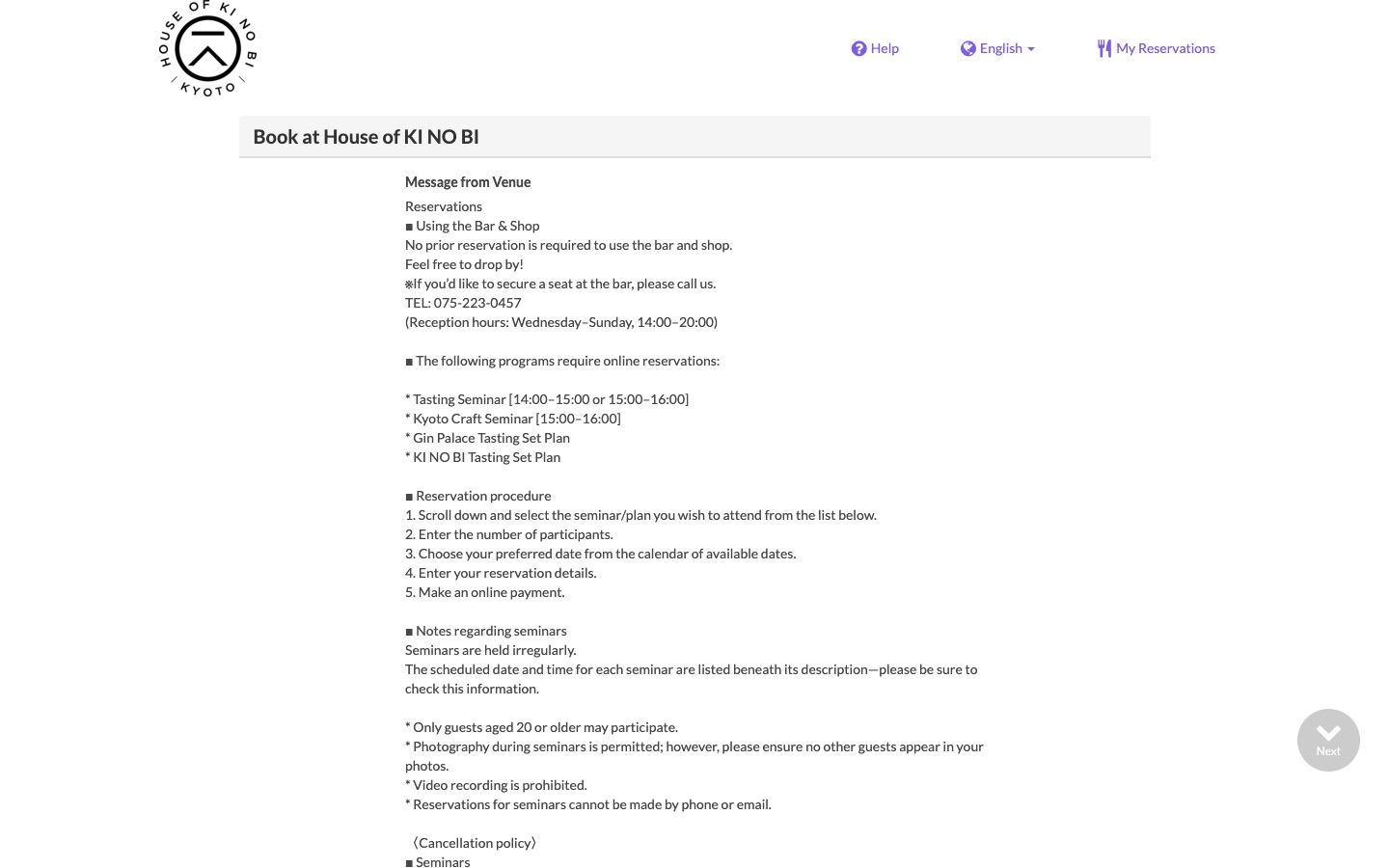
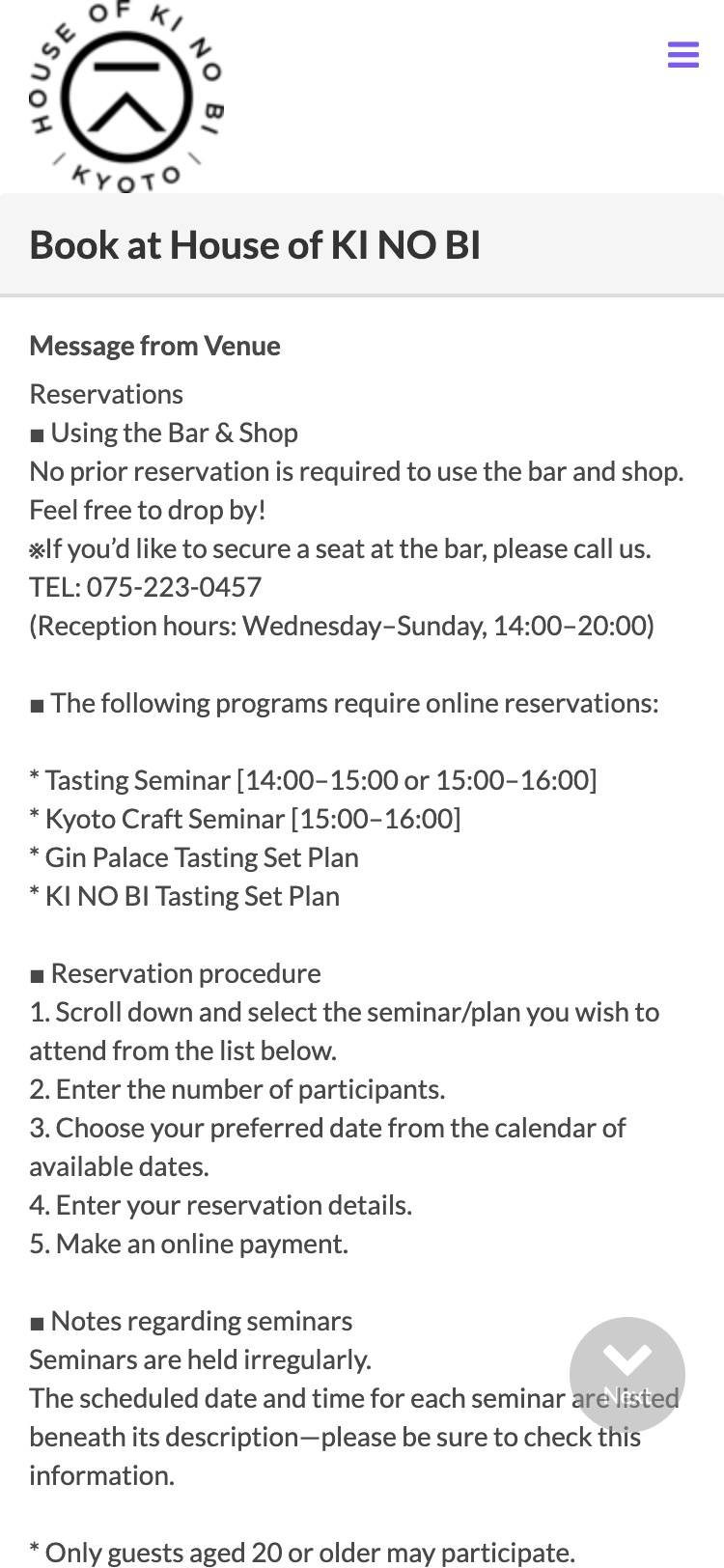
Captured live at 1440px and 375px on 17 Sep 2026. Numbers on the screenshots match the list beside them.
- 1101 × 100 px greyscale logo is the only image above the fold.The Restaurant Guide page holds three machiya interior photos that never reach the booking page.
- 2Message advertises a "Kyoto Craft Seminar" and a 15:00 seminar.Neither exists in the bookable list below. The English seminar runs 16:00–17:00.
- 3Cancellation policy sits in the message, then again per item, then again in a modal.The rule that decides whether a seminar runs at all, the two-guest minimum, is about 3,000px further down, inside a survey question.
"The minimum number of participants for a seminar is 2 … we will notify you around evening the day before."
最少催行人数は2名
That sentence lives in an optional survey question at the bottom of the page. The seminar items themselves say Order Limit 1 ~ 8. A solo traveller can pay ¥5,000 and only find out the evening before that the seminar will not run.
What the venue can change
Everything below is within the venue's own reach, either through the TableCheck merchant admin or through its own marketing channels. None of it needs TableCheck to change its platform.
- A1Past dates still listed under "Valid Dates" Moderate
English seminar lists Aug 21, Aug 25–26, Sep 2, 4, 8–9, 11, 13; only Sep 18 and Sep 30 are in the future. Japanese seminar lists Aug 2 through Sep 10, all past, plus Sep 17 and 24. The calendar itself refuses past days, so nobody can book one by mistake, but the text under each seminar makes the schedule look far busier than it is and leaves the reader to work out which dates are real.
Remove past dates from the description as they pass. Publish a rolling 8–12 week schedule; Kyoto visitors plan months out.
- A2Booking horizon ends 9 October Serious
Gin Palace set: "May 01 ~ May 30, Jun 01 ~ Sep 30, Oct 09". Anyone planning November sees nothing.
Set valid dates to a rolling 90 days, reviewed monthly.
- A3Venue message describes programs that don't exist Serious
"Kyoto Craft Seminar [15:00–16:00]" and "Tasting Seminar [14:00–15:00 or 15:00–16:00]" are advertised; the bookable English seminar is 16:00–17:00 and no craft seminar is listed.
Rewrite the message against the four live items, in EN and JA in the same sitting.
- A4Solo guests can pay for a two-person minimum Critical
Seminar items show "Order Limit 1 ~ 8" and "1 ~ 9". The two-person minimum appears only in a survey question near the submit button.
Set minimum order quantity to 2 on both seminar items; add "min. 2 guests" to the item title line.
- A51,102px of text before the first bookable item Serious
Forty-line venue message. On a 375px phone the first item starts at 1,598px and the submit button at 5,244px of a 5,714px page.
Cut the message to 6–8 lines: walk-ins welcome, phone for bar seats, seminars need online booking. Move cancellation terms into each item.
- A6Written steps contradict the form Moderate
Message says "1. select seminar, 2. participants, 3. date". The form puts Party/Date/Time above the menu on desktop and Date/Time/Party on mobile.
Drop the numbered steps or rewrite them to match the actual field order.
- A7Untranslated and inconsistent admin strings Moderate
Seat category "セミナー予約" on the English page. Titles mix "〇" and "○". "Meals: Tea, Dinner" is internal jargon.
Translate seat categories, normalise title prefixes, hide or rename meal periods.
- A8English copy needs an edit Low
"We will guide you explore the production process, ingredients and our philosophy."
Copyedit all four descriptions; keep each under 60 words with the practical facts first.
- A9No atmosphere photography Serious
Only 113 × 85 bottle thumbnails and a greyscale logo. A 100-year-old machiya with a karakami bar is the whole selling point and is never shown.
Upload a wide cover image and one in-progress photo per experience.
- A10Room-charge rule buried Moderate
"If your companions do not order a set menu, a room charge of ¥2,000 per person plus one drink order is required" is the last line of the Gin Palace description.
Make it the first line, in bold.
- A11Restaurant Guide page is thin Moderate
Bar/shop hours missing (only reception hours Wed–Sun 14:00–20:00), single tag "Bar", no reviews, three photos.
Fill hours, tags (Gin, Tasting, Seminar, Distillery), price range and a full description.
- B1Reserve with Google not verified Serious
TableCheck supports Google Business Profile booking buttons; its own case study reports 58,282 Japan bookings via that channel in 2021. Whether this venue is connected is unknown.
Check the Google listing for a Reserve button; enable it in merchant admin if absent.
- B2Outbound links need locale and attribution Low
kinobigin.com, Tripadvisor and Tabelog link to the booking page. Links should carry
/en/and UTM parameters so the venue can see which channel converts.Update the three outbound links.
What to do, and in what order
Phase one needs no engineer and removes the findings most likely to cost a booking or a refund today, above all the two-guest minimum that the form does not enforce.
-
Content fixes in merchant admin
Track A. Everything the venue can do this week.
- Menu items: purge past dates, extend to 90 days, set seminar minimum to 2, fix titles and seat categories, copyedit, move the room-charge rule to the top. (A1, A2, A4, A7, A8, A10)
- Venue message: rewrite to 6–8 lines matching the live items and the form order; move cancellation terms into each item. (A3, A5, A6)
- Media: cover image plus one photo per experience. (A9)
- Restaurant Guide: hours, tags, description, price range. (A11)
- Check on EN and JA, on a phone and a laptop: the first bookable item should be visible without scrolling on a phone.
-
Distribution
Track B. Make the fixed page findable.
- Verify or enable Reserve with Google.
- Fix outbound links on kinobigin.com, Tripadvisor, Tabelog.
-
What the page could feel like
A working prototype in English and Japanese of the flow the content fixes are aiming at: experience first, guests second, dates generated from today so none can be stale, the two-guest minimum enforced by the stepper, the Gin Palace room charge priced live, and a short summary that follows the guest down the page. Nothing is submitted; the last step is a clearly marked demo confirmation.
How we'll know it worked
Acceptance
- No past dates printed on any item; horizon at least 60 days
- Seminar minimum of 2 enforced by the form, not by a survey question
- Venue message at most 8 lines and consistent with live items in EN and JA
- First bookable item visible without scrolling on a 375px phone
- At least one photo of the room on the booking page
- Reserve with Google verified or enabled
# past dates still on the page?
curl -sL "https://www.tablecheck.com/en/shops/thehouseofkinobi/reserve" \
  | grep -o "Valid Dates[^<]*"
Risks
| Risk | Likelihood | Mitigation |
|---|---|---|
| No merchant admin access | High | Phase 1 becomes a written brief for the venue; the prototype shows the target. |
| Seminar schedule really is sparse | Medium | Remove the past dates anyway; a short list of real dates is better than a long list of expired ones. |
| EN and JA drift apart again | Medium | Edit both locales in one session; keep canonical copy in the repo. |